

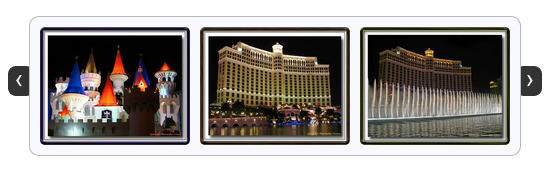
jCarousel Lite – A jQuery plugin August 9th, 2007

jCarousel Lite is a jQuery plugin that carries you on a carousel ride filled with images and HTML content. Put simply, you can navigate images and/or HTML in a carousel-style widget. It is super light weight, at about 2 KB in size, yet very flexible and customizable to fit most of our needs.

Did I mention that it weighs just 2 KB?

As if that wasn’t enough, the best part is yet to come… You don’t need any special css file or class name to get this to work. Include the js file. Supply the HTML markup. Then, construct the carousel with just a simple function call.

Visit the project page for more information. There you can find a lot of demos and exhaustive documentation. This blog entry is just a teaser for further exploration.

Installing and getting it to work is as trivial as following the 3 steps given below…

Step 1:

Include a reference to the jQuery library and the jCarouselLite plugin. If you like interesting effects, include the Easing plugin as well (Optional). If you would like to navigate the carousel using mouse wheel, then include the mouse-wheel plugin as well (Optional).

<script type="text/javascript" src="path/to/jquery.js"></script>
<script type="text/javascript" src="path/to/jcarousellite.js"></script>
<!-- Optional -->
<script type="text/javascript" src="path/to/easing.js"></script>
<script type="text/javascript" src="path/to/mousewheel.js"></script>

Step 2:

In your HTML file, provide the markup required by the carousel (a “div” enclosing an “ul”). You also need the navigation buttons, but these buttons need not be part of the carousel markup itself. An example follows…

<button class="prev"><<</button>
<button class="next">>></button>
<div class="anyClass">
    <ul>
        <li><img src="someimage" alt="" width="100" height="100" ></li>
        <li><img src="someimage" alt="" width="100" height="100" ></li>
        <li><img src="someimage" alt="" width="100" height="100" ></li>
        <li><img src="someimage" alt="" width="100" height="100" ></li>
    </ul>
</div>

Step 3:

Fire a call to the plugin and supply your navigation buttons. You just managed to architect your own carousel.

$(function() {
    $(".anyClass").jCarouselLite({
        btnNext: ".next",
        btnPrev: ".prev"
    });
});

If you have any comments/suggestions/requests, feel free to drop in a comment or you can find me lurking around the jquery mailing list.

Update

Based on popular request, jCarouselLite has been updated to support jquery 1.2.x versions. Goto the download page and download version 1.0.1 to enjoy jquery 1.2.x support. Since Firefox 3 has some issues with $(document).ready() function, try using $(window).load() instead if you face any problems. Hopefully a future version of Firefox or jQuery will fix the problem.

907 Responses to “jCarousel Lite – A jQuery plugin”

« 19 10 11 12 13 14 15 16 17 18 19 Show All

  1. 901. Pradeep Saini on July 22nd, 2010 at 10:04 am

    I want to user two scroller. one for left to right and another one right to left. There are not any option to scroll right to left. Please provide me any hints.

    Thanks in Advance.
    Pradeep Saini

  2. 902. David on July 23rd, 2010 at 8:19 am

    Ganesh,
    Comment 896 and 897. Still having a problem with style adding 2 pixels to height of images.

  3. 903. kyle on July 23rd, 2010 at 4:35 pm

    ****PAYING $20 VIA PAYPAL TO ANYONE WHO CAN SOLVE THIS!

    i am attempting to take this wordpress template (link below) and copy its use of jcarouselLite, but in Internet Explorer, it crams my moving images together and the left and right buttons Rollovers don’t work….

    ORIGINAL SITE:
    http://osc4.template-help.com/wordpress_29527/

    MY SITE:
    http://www.site-tonight.com

    it works fine in firefox, but it looks ugly in IE, i do not have enough knowledge to fix it, please help if you can, i will gladly pay!

    email me for fast payment and resolution:
    wtfmancmon AT yahoo.com

    You can pretty easily view my source (duh)

    thanks much,

    Kyle

  4. 904. Ginesh on July 23rd, 2010 at 11:37 pm

    Excellent one. But there is a bug in this. The following setting will allow just 1 ‘Next’ moves. But it should allow 2 next moves.

    There are 11 items in Li.

    $(function() {
    $(“.playlists”).jCarouselLite({
    btnNext: “.right”,
    btnPrev: “.left”,
    circular: false,
    visible: 4,
    scroll: 4,
    speed: 800
    });
    });

    It will display only 8 items.How to solve it?
    “scroll: 1″ means it will display 11 items. Any idea?

  5. 905. Maria on July 24th, 2010 at 12:47 pm

    I am using it with wordpress and its not working. not giving any error but still not working.

    Is there any conflict in it with WooThemes or wordpress?

    Thanks,

    Maria

  6. 906. HardinLora35 on July 29th, 2010 at 12:11 pm

    This is the best item I have got of all time find out! Great column just about university! When I have studied at university I as well meet problems of compose my term and article exercise, because I had a job and private occupy in life, and I never had pretty much time to construct article. And then my friend tell me about buy thesis! From that time my life has become finer!

  7. 907. Edouard on July 30th, 2010 at 12:48 pm

    Just to notice that I was looking for a way to stop (onmouseover) and restart (onmouseout) the autoscroll.

    I found a patch to your plugin there : http://github.com/kswedberg/jquery-carousel-lite/blob/master/jcarousellite.js

    it provide with pauseCarousel and resumeCarousel triggers…

    Please update your code with it, as well as documentation on site.

    Best regards and congratulation for your work,
    Edouard

« 19 10 11 12 13 14 15 16 17 18 19 Show All

Leave a Reply