

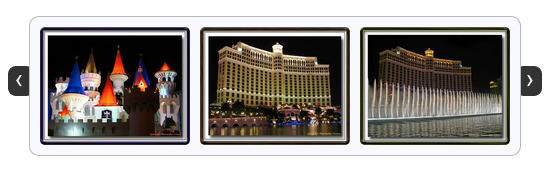
jCarousel Lite – A jQuery plugin August 9th, 2007
jCarousel Lite is a jQuery plugin that carries you on a carousel ride filled with images and HTML content. Put simply, you can navigate images and/or HTML in a carousel-style widget. It is super light weight, at about 2 KB in size, yet very flexible and customizable to fit most of our needs.
Did I mention that it weighs just 2 KB?
As if that wasn’t enough, the best part is yet to come… You don’t need any special css file or class name to get this to work. Include the js file. Supply the HTML markup. Then, construct the carousel with just a simple function call.
Visit the project page for more information. There you can find a lot of demos and exhaustive documentation. This blog entry is just a teaser for further exploration.
Installing and getting it to work is as trivial as following the 3 steps given below…
Step 1:
Include a reference to the jQuery library and the jCarouselLite plugin. If you like interesting effects, include the Easing plugin as well (Optional). If you would like to navigate the carousel using mouse wheel, then include the mouse-wheel plugin as well (Optional).
<script type="text/javascript" src="path/to/jquery.js"></script> <script type="text/javascript" src="path/to/jcarousellite.js"></script> <!-- Optional --> <script type="text/javascript" src="path/to/easing.js"></script> <script type="text/javascript" src="path/to/mousewheel.js"></script>
Step 2:
In your HTML file, provide the markup required by the carousel (a “div” enclosing an “ul”). You also need the navigation buttons, but these buttons need not be part of the carousel markup itself. An example follows…
<button class="prev"><<</button>
<button class="next">>></button>
<div class="anyClass">
<ul>
<li><img src="someimage" alt="" width="100" height="100" ></li>
</ul>
</div>
Step 3:
Fire a call to the plugin and supply your navigation buttons. You just managed to architect your own carousel.
$(function() {
$(".anyClass").jCarouselLite({
btnNext: ".next",
btnPrev: ".prev"
});
});
If you have any comments/suggestions/requests, feel free to drop in a comment or you can find me lurking around the jquery mailing list.
Update
Based on popular request, jCarouselLite has been updated to support jquery 1.2.x versions. Goto the download page and download version 1.0.1 to enjoy jquery 1.2.x support. Since Firefox 3 has some issues with $(document).ready() function, try using $(window).load() instead if you face any problems. Hopefully a future version of Firefox or jQuery will fix the problem.



I found a bug…
When using external controls and auto the interval doesn’t reset when you click. So for example if it’s set to 5 seconds and you click next at 4 seconds… it will move automatically 1 second later.
I fixed this on my version by storing the interval to a variable and clearing it at the start of the go function and re setting it at the end of the go function.
ps… great plug-in overall keep up the good work
-Lenny
Im using the Jcarousel Lite on a clients website.
All looks fine, but I have some problems using Google chrome – images does not show until you revisit a page… and in Firefox i get this error:
el[0] is undefined at line 335.
Don’t know if the two issues are connected.
The same error has been reported by Bob Mitchell on January 24th – can’t find a solution for his problem.
Im using the Jcarousel Lite on a clients website.
All looks fine, but I have some problems using Google chrome – images does not show until you revisit a page… and in Firefox i get this error:
el[0] is undefined at line 335.
Don’t know if the two issues are connected.
The same error has been reported by Bob Mitchell on January 24th – can’t find a solution for his problem.
Brian
Hi, great lite version, only thing when I use say 12 images and I have show set to 5 and interval set to five if seems to chop in the images after the first 10. Hard to explain but can give you an example if you get in touch with me. Can help out as developer. Cheers Tim
I’ve got some issues with the jscarousellite. We included it on our frontpage on one of our sites : http://www.digi.no. the carousel used 100% of cpu load on some browsers/environments, do you have a fix for that?
Hi!
I really love the jcarousellite! I’m trying to use it to show (span/div based) quotes. The only problem I have is that when I set the width of the items (and all its children) the jcarousellite script doesn’t take it and puts its own width and height on the items.
I’d love to have an option to specify width and height in the construction of the carousel. Am I missing something and is this already possible or is this not (yet?) included?
Ruben
Hi,
There is an issue with safari on windows, Carousel does not work first time that you open the page, but if you refresh.. uala! it works!
any idea?
Pablo
pd: sorry by my English.
Hi,
Due to the display:none issue, I have trouble creating a slider inside a jquery tab (opening tab works fine).
Is there a way to disable the auto calculation of sizes or other ways to fix this?
This script produces more list items than there are in the source. You can check this in Firebug.
So the formula of the number of list items appearently is : (total number of images)+ (2*)(number of images visible in jCarousel)
This sucks because it messes the source up and for example Lightbox will not show the correct ammount of images clicking through them.
Is it possible to fix the jCarousel lite script for this?
Hi,
I’m also facing problem with lighbox and jCarouselLite being used together… lightbox is not working. you can have a look @ the following link.
http://www.vizaglocalmarket.com/Details.aspx?id=17
Please let me know the solution.
Regards,
Raj
Hi i m trying to use jcarousel lite:i tried it alone in an html page and it work properly.Now i m trying to integrate it in a jommla site but i got the following errors with firebug and the carousel doesnt work
unmatched ) in regular expression
}\s]*$/.test(a.replace(/\(?:[“\\/bfnrt…SON.parse(a):(new Function(“return “+\n and this
jQuery is not defined
})(jQuery); Can u suggest me any solution?Thanks
Is it possible to have 2 rows of images/content so that for example two thumbnails will stack on top of each other, allowing for more thumbnails to be viewed?
@Raj, you use different javascript libraries on your page… according to the source of your page: prototype, scriptaculous and jQuery. Only use 1 of those else conflicts.
Hi !
Is-it possible to have the slide when the cursor mouse is over the buttons (no click needed) ?
Thank’s a lot.
(I’m french, sorry for my poor english)…
Thanks for this great plug in. I used it with the following settings on a list of 30 nav icons and had a problem with the back button skipping sections of the nav.
$(“#primary”).jCarouselLite({
start: 15,
visible: 5,
scroll: 5,
btnNext: “.NextX”,
btnPrev: “.PreviousX”,
});
I fixed the problem by changing the if(a<= check in go(a).
function go(a){
if(!b){if(o.beforeStart)o.beforeStart.call(this,vis());
if(o.circular){
if(a<=-v)
haven't tested this extensively or even understand your code very well but it works for our site now.
Regards and thanks again.
Geoff
Great plugin !
But I got an annoying problem on IE8 : the slide is not fluid at all.
It seems to be caused by the jQuery instruction I had thanks to “beforeStart” and “afterEnd”.
Is there any solution ?
jcarousellite is not compatible with google closure compiler
Hi. I would like to use this plugin for div items, not li items (my CMS produces the news this way). Isn’t possible at all?
Thanks
Hi,
Have some problems in displaying in IE 7 with jquery-1.4.2.min …
((
With jquery-1.3.2.min everything’s cool!
hi !
your mini-carousel is great !
it does what it have to do ! nothing more, just the essential !
great one ! best on !
thanks
It’d be nice to have a bare bone example, one with the css file as it seems to be required, and without any other content nor navigation, say in a new window.
Hi. I would like to use this plugin for div items, not li items (my CMS produces the news this way). Isn’t possible at all?
Thanks
Hi, didn’t see this in your bugs list so incase you don’t know… When I try to minify the file using either YUI or Shrinksafe – which both use Rhino – it throws an error due to float being a reserved word. To fix this I changed:
li.css({overflow: “hidden”, float: o.vertical ? “none” : “left”});
To be:
li.css({overflow: “hidden”, “float”: o.vertical ? “none” : “left”});
The carousel still seems to work as before so assuming that JQuery is happy with this amend.
Cheers
I have found an issue when applying custom styles on elements in circular carousel. Because of shifting from ending to middle in beforeStart callback passed array of element which become invisible just after callback returns. My workaround is to copy elements before shift:
if(o.circular) { // If circular we are in first or last, then goto the other end
if(to<=o.start-v-1) { // If first, then goto last
// Replace visible elements' content
for (i = 0; i 1, then the “to” might not be equal to the condition; it can be lesser depending on the number of elements.
curr = to==o.start-v-1 ? itemLength-(v*2)-1 : itemLength-(v*2)-o.scroll;
} else if(to>=itemLength-v+1) { // If last, then goto first
// Replace visible elements’ content
for (i = 0; i 1, then the “to” might not be equal to the condition; it can be greater depending on the number of elements.
curr = to==itemLength-v+1 ? v+1 : v+o.scroll;
} else curr = to;
} else { // If non-circular and to points to first or last, we just return.
if(toitemLength-v) return;
else curr = to;
} // If neither overrides it, the curr will still be “to” and we can proceed.
Hm, my code was corrupted in last comment, here it is: http://pastebin.com/uHFjbbAu
Fixed left shifting calculations http://pastebin.com/cJYngvzS
Cannot guess how to copy element’s styles applied using animate(), any ideas? Thanks.
Hi,
Thank you for this great script, however I ran into a problem and I can’t seem to get any solution.
Here’s the code:
You can get to know more about the third script from here (http://www.addthis.com/).
I am using circular carousel and when I am at the last slide and click next, it gives me a blank screen (rather than 1st slide).
The problem comes only in IE7, when I add this widget code, so probably its conflicting with carousel jquery.
If I remove the 3rd script, everything works fine.
Any help will be greatly appreciated as it’s very urgent.
Thanks,
I am posting the code part again with comment as it didn’t show up in the above post.
//
//
//
One more try:
1) First line is include “jquery-1.3.2.min” JS
2) Second line is include “carousel” JS
3) Third line is include “addthis_widget” JS
Hope this will work now, If I remove Third script, everything works fine. But with it, I get the issue in IE7.
Hi,
Great plugin ! Thanks a lot to share it !
I use it with the mouseWheel plugin and the circular parameter is turned off.
The problem : when the mouse wheel has scrolled all items, the scroll is going to continue on the page.
Thanks,
Carine
Shouldn’t we call the plugin on window.load rather than document.ready?
So that it will load all the images first that are being used in the carosoul?
Any thoughts?
Thanks,
im kind of new to jquery, so would like to seek some help about jcarousellite. as the current now its showing 3 images is it possible to change it? if yes where can i edit it?
ThankYou
Jack
just ask question when im using the auto scrolling is it possible to make it stop when mouse over?
I purchased a theme and it uses your jCarousel. I am having some problems and no one seems to be able to help out. I am stuck right now til I found you. Here is the site, http://www.maimarket.com. Can you pleae let me know how can I fix it. Right now, the images are cut off and the texts are overlapping with images. Please help me. Thank you so much for your time.
Hi there!
I’m missing an explanation, how to use the various ways of implementing this real nice jCarouselLight.
This is how I tried it:
$(“.auto .jCarouselLite”).jCarouselLite({
auto: 800,
speed: 1000
});
That was wrong. But how is it right?
( -: roland :- )
It looks nice, but do you have any idea why i get the error “a[0] is undefined”?
HI !
Real Nice Plug in to use.
However I have the issue with one of my company website and I found this when I was testing it on IE6:
URL : http://www.dezshira.com/newsite/ ( Soon Will Be : http://www.dezshira.com/ )
I have 2 Text Scroller here, first one shows fine but 2nd one end of scrolling to an empty space once it reach to the end of the element after couple of seconds.
Here is the code I used for these 2 scroller:
$("#content_slider").jCarouselLite({
btnNext: ".next",
btnPrev: ".prev",
auto:10000,
visible:1,
speed:3000,
scroll:1
});
$("#event_slider").jCarouselLite({
btnNext: ".event_next",
btnPrev: ".event_prev",
auto:15000,
visible:1,
speed:3000,
scroll:1
});
Your Comment would be of great help !
Thanks
Kaushal
Hi,
I am trying to add a filter button to my website which will toggle between using the carousel and displaying all items, ideally without needing to use a page refresh for this to work. I can unbind any events and hide the buttons, and remove width/left css attributes easily enough, and this works. My problem is that the code seems to duplicate all my list items when initialised, and I would have do write some messy JavaScript to remove all of the extra items when I toggle, otherwise on re-toggle, it keeps adding more and more items. Any better solution for this?
Adrian
Hi,
Could you please expand your example on the external controls for your jCarousellite. I would like to be able to custom style the next, previous buttons and the specific numbered slides. I found that your example page shows an example but I am having a difficult time creating it for myself. Hopefully with a more detailed example of the HTML it will help myself and your other users.
Thanks,
Drew
The script is conflicting with other code I have. I can’t send the code through here but please e-mail me
This script is awesome, but when there is a nested ul inside the main jCarouselLite ul, it doesnt work. Any idea how to fix or if a new release is coming? I saw http://tylermcgill.ca/internet/jcarousellite-nested-lists/ but their fix did not work for me. Thanks!
Hi,
This is a really useful plugin. Exactly what I was looking for. I have a couple of questions. Can I make the carousel stop when mouse over in an auto scroll carousel? And… When I have less items in the carousel than the specified in the visible param, for example, i have 3 items in the carrousel but the visible param is set to 4, the carousel shows 3 items in first instance but when the carousel scrolls itself only shows 2. It’s a bug or a configuration error.
Thanks, and sorry, English is not my native language
I noticed that if the number of li items in the list are less than the number of items the script is configured for, then the scroll displays incorrectly.
For example if you use visible:5 but only display 3 items then the scroll breaks. This is will happen in a database driven website. My current work around is to put the jcarousel call at the bottom of my page, then count the number of records to display from my db.
So I do something like this:
$countRecsToList = count($val); //need to pass this number to the jquery script
if($countRecsToList <5){
$itemsToList = $countRecsToList ;
}else{
$itemsToList = 5;
}
Now I can display no more than five if my db returns more than five, but I can also display less than five if I need to.
Hey ganesh,
It is a very useful plug-in but i do have some probs with scroll.
$(document).ready(function() {
$(“.carousel”).jCarouselLite({
btnNext: “.next”,
btnPrev: “.prev”,
visible: 3,
scroll: 3,
mousewheel:true,
speed: 600
});
});
eg:In order to display 7 images i gave visible:3 and scroll:3 but what
happened is when i click next button it displays 2 sets of 3 images correctly.The problem arises here after this when i click next button
it was missing 3rd image and showing only 6 images..
I tried it using lot of images….it has become more worse.
I found an interesting thing here…it will work fine for multiples of 3(3,6,9,12..)but it wont work for other numbers…(5,7,8,11…)
Did anyone have the same problem?
Please let me know when anyone has work around..
I would really appreciate your help.
Thanks,
~swetha
[...] I had to part with my bandwidth for all other features this plugin offered. Like my famous jCarouselLite plugin, I like my javascript code kept to the minimum. So, I decided and wrote a short yet sweet [...]
Hello, I am using the carousel to display images only with no user interaction (buttons ) necessary.
The problem I am having is no matter what dimension of images I give the carousel it always adds 2 pixels to the bottom.
In this case the images are 220 x 220px.
As you can see the li style height is 222. This will happen no matter what size image I feed. Always on the height.
What s controlling that appendage? How can I control it.?
David
code pasted with removed
li class=”item-7″ style=”overflow-x: hidden; overflow-y: hidden; float: left; width: 220px; height: 222px; ” img src=”http://www.davidarogers.net/ctl2/blogpics/home/220×360_6.jpg” alt=”" width=”220″ height=”220″ /li
Hey ganesh,
Thanks for great script
$(document).ready(function() {
$(“.carousel”).jCarouselLite({
btnNext: “.next”,
btnPrev: “.prev”,
visible: 3,
scroll: 3,
circular:true,
speed: 600
});
});
eg:In order to display 7 images i gave visible:3 and scroll:3 but what
happened is when i click next button it displayed 1st set (1,2,3) again clicking next button it displayed 2nd set (4,5,6)later on clicking next button it displayed 3rd set(7,1,2).
Here comes the problem once again clicking next button displayed (4,5,6) and 3rd image is missing.I cant figure it out..
but i found an interesting thing here…it will work fine for multiples of 3(3,6,9,12..)but it wont work for other numbers…(4,5,7,8,10,11…)
Did anyone have the same problem?
Please let me know when anyone has work around..
I would really appreciate your help.
Thanks,
~swetha
Hi,
This is REALLY COOL!. Thanks for sharing. I have some issues. Please help me.
I want to stop/resume the auto scrolling and want to call next and prev action from my JS code. Is it possible? Please help/suggest me.
Thanks
Hi,
This library is great, but I am having a little problem. In your example you have the carousel wrapped in two images (prev and next) but in your source code those images are nowhere to be found. Do we have to add these manually?
Futhermore, perhaps it would be a good idea to have the styles in a separate .css file and not inside the .js file.
Thanks!!