

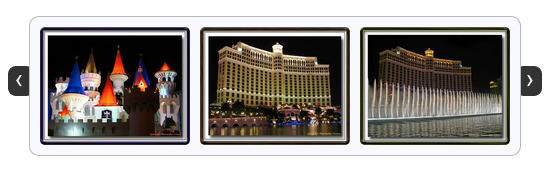
jCarousel Lite – A jQuery plugin August 9th, 2007
jCarousel Lite is a jQuery plugin that carries you on a carousel ride filled with images and HTML content. Put simply, you can navigate images and/or HTML in a carousel-style widget. It is super light weight, at about 2 KB in size, yet very flexible and customizable to fit most of our needs.
Did I mention that it weighs just 2 KB?
As if that wasn’t enough, the best part is yet to come… You don’t need any special css file or class name to get this to work. Include the js file. Supply the HTML markup. Then, construct the carousel with just a simple function call.
Visit the project page for more information. There you can find a lot of demos and exhaustive documentation. This blog entry is just a teaser for further exploration.
Installing and getting it to work is as trivial as following the 3 steps given below…
Step 1:
Include a reference to the jQuery library and the jCarouselLite plugin. If you like interesting effects, include the Easing plugin as well (Optional). If you would like to navigate the carousel using mouse wheel, then include the mouse-wheel plugin as well (Optional).
<script type="text/javascript" src="path/to/jquery.js"></script> <script type="text/javascript" src="path/to/jcarousellite.js"></script> <!-- Optional --> <script type="text/javascript" src="path/to/easing.js"></script> <script type="text/javascript" src="path/to/mousewheel.js"></script>
Step 2:
In your HTML file, provide the markup required by the carousel (a “div” enclosing an “ul”). You also need the navigation buttons, but these buttons need not be part of the carousel markup itself. An example follows…
<button class="prev"><<</button>
<button class="next">>></button>
<div class="anyClass">
<ul>
<li><img src="someimage" alt="" width="100" height="100" ></li>
</ul>
</div>
Step 3:
Fire a call to the plugin and supply your navigation buttons. You just managed to architect your own carousel.
$(function() {
$(".anyClass").jCarouselLite({
btnNext: ".next",
btnPrev: ".prev"
});
});
If you have any comments/suggestions/requests, feel free to drop in a comment or you can find me lurking around the jquery mailing list.
Update
Based on popular request, jCarouselLite has been updated to support jquery 1.2.x versions. Goto the download page and download version 1.0.1 to enjoy jquery 1.2.x support. Since Firefox 3 has some issues with $(document).ready() function, try using $(window).load() instead if you face any problems. Hopefully a future version of Firefox or jQuery will fix the problem.



Hey, great plugin!
I’m trying to put several carousels on the same page (actually i’m using it in posts on my Wordpress blog) but when I do clicking any “next-button” or “prev-button” changes images on _all_ carousels.
Am I missing something obvious? Is there a way to link next and prev buttons to a certain carousel? Sorry if i’m being stupid.
Any help greatly appreciated!
How do you auto scroll the images horizontally from left to right… instead of right to left?
well… i searched everywhere for days, and apparently no one or very few have this answer. this is what you need to do:
change all
curr+o.scroll
to
curr-o.scroll
reverses both horizontal and vertical auto scrolls.
In current version 1.0.1 line 300 “if(toitemLength-v) return;” should be changed to ” if(toitemLength-v) return false;”. Without the “false” the click bubbles up and as a result the page will scroll to top.
Hi, can you have a pause option as in cycle so that when auto-scroll is enabled, the cursor will pause the auto-scroll when hovered? That would be a nice built-in feature.
Thank you for a great product. For some reason, I couldn’t get jcarousel to work with joomla, but this worked like a charm.
Hi, your carousel is simply great.
The only thing I was missing is that it’s not possible to specify the width of the carousel otherwise than ‘visible’ option. So I patched the code, so it’s possible to specify either ‘visible’ (and ‘width’ is calculated) or ‘width’ (and ‘visible’ is calculated).
I also fixed a small bug – when using fraction ‘visible’ and ‘circular’ is false, then the last image is only displayed partialy and it’s not scrolled it into the div.
I also fixed return value from go() when circular is false and carousel is going to move before the first or after the last item.
If you are interested in this patch, let me know on my mail, I’ll send it to you.
Hi,
first thanks for the pluging!! It’s very great!!!
But,I had a trouble with this plungin in IE 7. It works in all brownsers but when i open in ie 7 the images break down like i had a couple of list float left and “break a line”, another couple of images and “break a line”. Do you know about this problem, or in IE 7 i have to put a specific attribute in jquery or css?? thanks!!
ps: Sorry about my English!!
Im trying to get the carousel to stop scrolling when an image inside it is clicked here is the code im using.
$(‘.gallery a’).lightBox();
$(“.gallery”).jCarouselLite({
auto: 3000,
speed: 1000,
visible: 4
});
$(‘.gallery a’).click(function () {
$(this).jCarouselLite({
auto: 0,
speed: 0,
visible: 4
});
});
$(“#lightbox-secNav-btnClose”).click(function () {
$(“.gallery”).jCarouselLite({
auto: 3000,
speed: 1000,
visible: 4
});
});
Hey thx for nice lite module!
I would like to know what should be done to have history.back() working with it?
I have great working carousel but when I click on image and go to other page and then click back in the browser the carousel images start from the beginning. Its a little bit fake because I need to scroll again to the picture I clicked and then continue scrolling.
How can I achieve that ?
How to get the browser to remember the current sliding position in carousel ?
Hi thanks for the plugin but I have a question on implementation. How do I include “unordered list” inside the carousel without breaking the layout? For example if I have carousel for the DIV named “extras” and within it I have 3 list items. So far everything works, it scrolls through the 3 list items. Ok but now, I want another “unordered list” inside one of the list but I don’t want it to be picked up by the carousel thus breaking the 3 originally working list items.
Another words I want to put an API call to display the latest tweets inside one of the 3 list items in the carousel scroll…
How can this be done?
I have circular set to FALSE and SCROLL set to 5.
If I display 15 items, it works as expected…I can click NEXT twice. Once to see 5-10 and one more to see 11-15.
However if I have a number such as 17, I can never see that last two. Unless my total number of items is divisible by my scroll value, end up not being able to see the remainder items.
Any suggested workaround for this? Am I perhaps missing a setting to accomodate this?
Hi, I am using the Florance them from web2feel and my carousel stopped working. Loading error at bottom left points to the jquery / icarouselite script. All help appreciated. website: http://www.happystay.net
I’ve found some small issues with jCarouselLite, which I’ve addressed as below:
Nested UL/LIs break the carousel (see also ben on April 9th, 2010 above):
Change UL and LI selectors on lines 228, 236 to “> ul”, “> li”.
When using a fractional visible and circular carousel, an additional item is added and the current item is displayed partially out of view:
Round the offsets in the block starting at line 230 as follows
if(o.circular) {
ul.prepend(tLi.slice(tl-Math.floor(v)-1+1).clone())
.append(tLi.slice(0,Math.ceil(v)).clone());
o.start += Math.floor(v);
}
As far as I can see it should be fine to include these in an update to the script without breaking anyone’s implementations?
Geoff
Hi there.
I fixed a bug when you where passing a custom scroll value. And the number of items to scroll was less then the scroll value. The scroll buttons wouldn’t work.
To apply my fix. You just have to replace the current code by the following lines of code:
if(o.btnPrev)
$(o.btnPrev).click(function() {
return go(curr-((curr < o.scroll) ? curr : o.scroll));
});
if(o.btnNext)
$(o.btnNext).click(function() {
return go(curr+((itemLength – (o.visible + curr) < o.scroll ) ? itemLength – (o.visible + curr) : o.scroll));
});
I hope this helps anyone out there
Cheers,
Xavier Barbosa
I think this plug in is great!
I’ve put two carousels on the home page of our site. When I use the next or prev button on the top carousel the bottom carousel moves as well.
When I hit the next or prev button on the second carousel only the second carousel moves. I would appreciate any help with solving this glitch.
Thanks
Jeanne
To get a smooth auto scroll
replace
if(o.auto){
setInterval(function() {
go(curr+o.scroll);
}, o.auto+o.speed);
}
with
if(o.auto!=undefined){
setInterval(function() {
go(curr+o.scroll);
}, o.auto+(1/o.speed));
}
an run
$(function() {
$(“#awards”).jCarouselLite({
vertical: true,
visible: 5,
auto:0,
easing:’linear’,
speed:5000
});
});
Thanks for the plug in.
Keep up the good work!
ok for those of you trying to do more than one carousel on a page and can’t figure it out. Here’s the solution. It’s a quick easy fix and I can’t believe I didn’t think of it sooner. Change the class for your buttons.
<<
>>
and corresponding function call
$(“.secondClass”).jCarouselLite({
btnNext: “.next1″,
btnPrev: “.prev1″
});
Hi,
Thanks for this very lite version, it rocks! Is there a way to set a class or id as start position value (instead of the item number)?
Thanks!
Strange…Has this happened to anyone? I have JC set to scroll horizontally and display 3 different sections by clicking next or previous. 1 section is Wordpress latest posts/comments, section 2 is latest tweets and section 3 is latest flickr images. Both twitter and flickr is using json api to pull the data. I then load the page and everything is displaying fine and I click previous and it scrolls to the section no problem. BUT THEN I click next, twitter and flickr does not display anymore, just blank. Wordpress posts/comments still displays though. But if I click previous, it still works. So it’s only when I click on next where it doesn’t show the content.
So I am assuming it might have something to do with the json call maybe? But thats strange too as previous button displays it fine…
Any ideas??
The lavalamp menu is sweet. Would be nice if it worked.
If you add links in there they don’t work.
Ganesh or anybody in for some payed editting of the script. I need it to accept a class or id as start position value (instead of the item number)? Any other way to create an active state in a dynamic enviroment is welcome.
contact me juri003@gmail.com
cheers
Hi, thanks for this plugin but the only problem i was facing is the (width) i gave for the carousel is not working. i have to give extra padding for the div to view all the images, the default carousel is showing only 3 images.
Any help is greatly appreciated, thanks in advance.
For anyone wanting to make this start on a random one, I had the same issue so wrote this -
if (o.random) {
var randomStart = Math.floor ( Math.random ( ) * tl + 1 );
curr = randomStart;
}
then you can call it in the options with
random: true, // true or false
Hi Zeke Bolton,
Do you think it is also possible to make it start at a class or id value (class=”active” for example)?
Thanks, Juri
A problem exists with nested UL/LI elements getting scoped as part of the carousel. Fortunately the fix is easy, referencing jcarousellite_1.0.1.js:
Line 228:
var div = $(this), ul = $(“ul”, div), tLi = $(“li”, ul), tl = tLi.size(), v = o.visible;
replace with:
var div = $(this), ul = $(“> ul”, div), tLi = $(“> li”, ul), tl = tLi.size(), v = o.visible;
Line 236:
var li = $(“li”, ul), itemLength = li.size(), curr = o.start;
replace with:
var li = $(“> li”, ul), itemLength = li.size(), curr = o.start;
That should do the trick for anyone else having this problem.
If anyone is wondering why the lavalamp links are dead its because in the javascript You have to delete “return false;”
Return false won’t let the links link out. Not very nice to have left this in because anyone who doesn’t know how javascript works won’t be able to use this plug-in.
[js]
$(function() {
$(“#1, #2, #3″).lavaLamp({
fx: “backout”,
speed: 700,
click: function(event, menuItem) {
return false;
}
});
});
[/js]
Hello !
Please, i need a little bit help – how can i use the prev and next-Buttons when i use the auto-scroll ?
Thanks a lot
Silvia
That is exactly the question I was going to ask, Silvia. Anyone have an answer? I can only get the “next” button to work with auto scroll, but not the “previous” button.
Hi,
I need to integrate WP MU with SHOPP plugin and jcarousel…can you tell me how to integrate SHOPP with jcarousel, either with a plugin or a standalone code?
I’d really appreciate the help!!
Thanks
Hi all,
I’m using the jCarouselLite plugin (greatest I’ve seen!), however, the content I’m scrolling is different sizes. For example, I’m currently displaying 4 equal width “blocks” at a time and all is working great (with several patches listed above applied – thanks guys!) but I now have to introduce one “block” that would be the width of the 4. So basically I need the ability that when one of these “blocks” is encountered, instead of it moving 4, I just need it to move 1 as well as not resizing it (as it currently does). Any help would be appreciated!
Thanks,
Dave
PS. by “block” I mean one … element
I found another bug when implementing the patch from Xavier’s post #814 when scrolling left or right in the list. The left/right icon/image/anchor gets a ‘disabled’ class name before reaching the beginning or end of the list.
Dave
Me again…
Still playing around with this plugin. Is it possible to dynamically add <li> elements using javascript/AJAX?
Dave
Hello,
great job and really tiny weight plug in, however have a problem in ie7 with first image, once i go next and then previous I do see the image but not at the begging, already tried window onload instead of document ready and of course css has widths, heights as well as img elements, any ideas?
Also in ie6 the first image come ok however when you slide it slides only the text and not the image.
have a look on the site and please let me know if any of you have any ideas
thanks a lot!
Giorgos
Is this even being updated any longer? I’ve seen several bug fixes posted here in this blog, but they don’t appear to get incorporated into any new releases. I tried finding dates in the code, but none were given. When was the last time this plugin was updated?
Im find an error in copying elements for circular view:
when you clone elements, you are not copy their triggers
Your code is:
if(o.circular) {
ul.prepend(tLi.slice(tl-v-1+1).clone())
.append(tLi.slice(0,v).clone());
o.start += v;
}
Im edit clone() function and now all triggers are copying:
if(o.circular) {
ul.prepend(tLi.slice(tl-v-1+1).clone(true))
.append(tLi.slice(0,v).clone(true));
o.start += v;
}
It is necessary for attach external picture viewer, like liteBox or fancyBox.
Sir ,
When I use this plugin in master page it does not work.
why ?
please reply .
I am working on Visual Studio 2008
Is it related to XSLT file ?
Namaste Sir,
You said above that to barbadon that more information is required.
My Code :
In Head tag :
$(function() {
$(“.anyClass”).jCarouselLite({
btnNext: “.next”,
btnPrev: “.prev”,
vertical: false,
visible: 3,
easing: “easein”, //effects: easein, easeinout, easeout, expoin, expoout, bouncein, bounceout, bounceinout, elasin, elasout, elasinout, backin, backout, backinout, linear
circular:true,
auto: 1800,
speed: 1000
});
});
In body tag :
asdf
sorry it was a mistake
In body Tag :
asdf
It detects Html coding ( the reason asdf appers when i paste it here )
<!–
asdf
–>
I noticed on lines 231 and 232 the clone() method is being invoked without the true parameter being set. This causes any previous elements that have had data or events attached to not be duplicated properly. I suggest changing the calls to clone(true) to prevent partial clones breaking pages.
Thanks for the great plugin!
Hi all,
When I use this plugin with vertical:true it does not work (firefox).
why ?
please reply
Thanks,
Adriana
Hi all
The problem i am having with this script is when i am merging this with another jquery for drag and drop. This slider basically works when its div and ul positions are set to relative but when position is relative then my another script for drag image doesn’t work. so is there any alternate for positioning. i want this script run with position absolute. please tell me if any solution is.
Nice plugin! light and effective.
Not a bug, but just a suggestion that i’ve added to my implementation:
Call the logic that adds the disabled class to the prev/next buttons on construction as well.
I use that class to show a grayed out version of the button and its nice to have it on page load. Thanks again
Hey
what will happen if i will introduce less images then what is there is the visible part of the scrpit .. for example … consider this ..
$(document).ready(function() {
$(“div.slider div.inner”).jCarouselLite({
btnNext: “a.next”,
btnPrev: “a.previous”,
visible: 7,
scroll:1
})
});
here its being given visible 7 but what will happen if i will have images less then 7 .. then it does not show properly … let me out
i really like the plug-in but was disappointed to find it won’t work if I use and ID(#) selector rather than a class(.) selector when identifying the holding div.
Is there a reason for this, or an easy fix?
Thanks for providing such a beautiful plug-in Ganesh.
I have a question. How can i get the control of jcarousellite object, which is already instantiated. I want to use this control to call the “go” method of plug-in from my method.
Please respond to this ASAP. Thanks a lot.
I’m quite new to Ajax/jQuery and your plug-in is absolutely great.
It installed easily on a website I am working on.
Now I would like to have a caption below each image (a link with a description of the photo), that also scrolls as the image scrolls. Any ideas?
Regards,
Wouter
Great work. thanks.
I difficulties using this plugin for a right to left design. is there any update, tweak or workaround for this problem?
Hello,
I have only one question … it is possible to pause autoscroll ? For example when is mouseovered ?
thanks for this plugin